

Fix Casino Game Errors (Not Loading, Freezing)
Online casinos sometimes run into technical problems, just like any other website or app.
Common issues include games freezing, not loading, or crashing. Often it comes down to connection problems, outdated software, or a browser setting.
Below are simple checks that usually sort things out, plus what to do when they do not.
Why Is My Casino Game Not Working?
If a game is not loading or feels unusually slow, start with a few quick checks:
- Switch browsers: some titles run better in Chrome, others in Firefox or Edge.
- Disable browser extensions: ad blockers and privacy tools can block game content. Temporarily turn them off, then try again.
- Clear cache and cookies: a fresh session can remove conflicts that stop a game from loading.
- Try a different device: if it works elsewhere, your original setup likely needs adjusting.
If it reaches the loading screen and stalls, the next section focuses on that exact problem.
Slot Game Stuck on Loading Screen?
When a slot sits on the loading screen and does not progress, try:
- Update your browser or app: older versions may not support newer game formats.
- Use Incognito or Private mode: this bypasses cached files and cookies.
- Clear site data for the casino domain: remove cookies and cached files, then reload.
If the loading bar still will not move, the steps for frozen games below are worth a try.
Casino Games Frozen: How To Unfreeze Your Game
If a game stops responding mid-round, these checks often help:
- Refresh or restart the game: close and reopen the tab or app to prompt a clean reconnection. If a wager was placed, the result is stored on the server and will show once reconnected.
- Check for game-specific updates: mobile apps sometimes update individual titles via the app store.
- Reduce display settings: lower resolution or disable animations if the option exists.
- Switch networks: move from mobile data to Wi-Fi, or the other way around, to reset the connection.
Still freezing after this? It might be a wider stability issue, which we cover next.
Why Does My Casino Game Keep Crashing?
Frequent crashes usually point to performance or software conflicts. Try:
- Reinstall the casino app: this replaces corrupted files.
- Close background apps and processes: free up memory and processing power.
- Review device compatibility: check the casino’s site or app store page for minimum requirements.
- Update your operating system and graphics drivers: keeping the device up to date can prevent crashes.
- Ensure there is enough free storage: low storage can cause apps to fail.
If crashes happen during a round, reconnect and check your game or transaction history for the recorded outcome.
What Happens If You Lose Connection During a Casino Game?
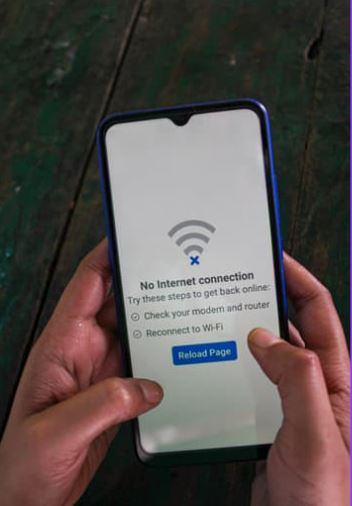
If you’re playing a casino game and you lose your internet connection, what happens next can depend on the specific game you’re playing. In many cases, the game will pick up again from where you left off once your connection is back. However, this isn’t always guaranteed, so if you’re unsure, it’s a good idea to get in touch with customer support for clarification. They can explain how your particular game handles interruptions and help if any issues arise.
Live Casino Games Connection Issues
Live tables need a steady connection for the video stream. If the stream breaks up or drops:
- Test your internet speed and stability. If possible, switch to a reliable Wi-Fi connection.
- Lower the stream quality in the game settings to reduce bandwidth use.
- Restart your device to clear temporary performance issues.
If the stream remains unstable across multiple tables, get in touch with our support so we can investigate.
Casino Games Running Slow
If games feel sluggish, consider:
- Scan for malware or adware: unwanted software can slow devices down.
- Adjust power settings: battery saver modes limit performance. Switch to a performance profile or plug in your device.
- Free up RAM: close unused apps or restart your device.
- Keep some free storage: a bit of space helps the app cache assets efficiently.
These tweaks often speed things up without changing how you play.
How Much Data Does Playing Slots Use?
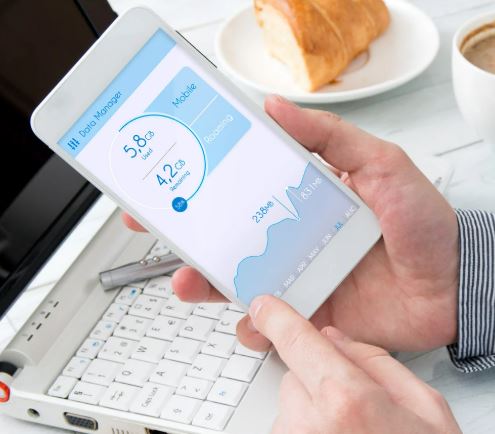
Data use varies by game and session length. As a general guide, many online slots use roughly 1 MB to 3 MB per minute. Live casino video uses more because of streaming, so it is best on Wi-Fi where possible. You can track exact usage in your device’s data settings and adjust quality settings if needed.
What Happens When a Slot Machine Malfunctions?
Malfunctions are uncommon, but providers typically apply a malfunction clause that voids plays and pays from the affected round to maintain fairness under regulation. If you suspect a fault:
- Note the time and, if shown, the round or transaction ID.
- Take a screenshot if you can.
- Contact our support team. We will review the game logs with the provider and confirm the outcome.
Can You Restart Slot Games Without Losing Winnings?
In regulated online slots, if a round is interrupted, the game usually resumes from the saved state when you reload. The result is determined and stored on the server once your bet is accepted. If you cannot see the outcome after reconnecting, check your game or transaction history. Still not showing? Reach out to our support team and we will verify the round for you.
With these steps, most issues can be resolved quickly, and you will know exactly when to contact support for a hand.
**The information provided in this blog is intended for educational purposes and should not be construed as betting advice or a guarantee of success. Always gamble responsibly.